踩坑记录——Jekyll自定义、GitHub Actions冲突、Docker镜像源配置
/ 2 min read
Table of Contents
Jekyll Chripy启用自定义JS脚本与CSS样式
创建自定义JS脚本与CSS样式文件
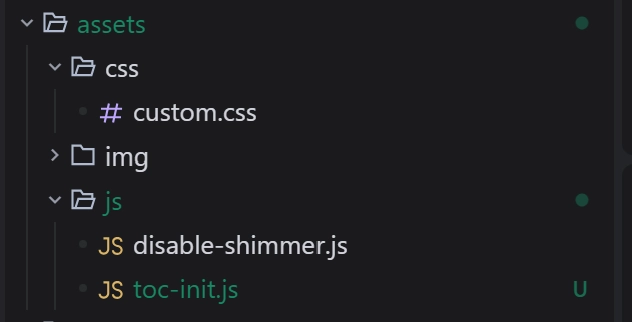
创建自定义html引入JS脚本与CSS样式文件
在_includes目录下创建custom-head.html(任意名称都可)
<!-- 自定义CSS来禁用shimmer效果 --><link rel="stylesheet" href="/assets/css/custom.css">
<!-- 自定义JavaScript来禁用shimmer效果 --><script src="/assets/js/disable-shimmer.js"></script>
<!-- TOC初始化脚本 --><script src="/assets/js/toc-init.js"></script>
引入自定义html
在_includes目录下创建metadata-hook.html
{% include custom-head.html %}Github Pages工作流冲突
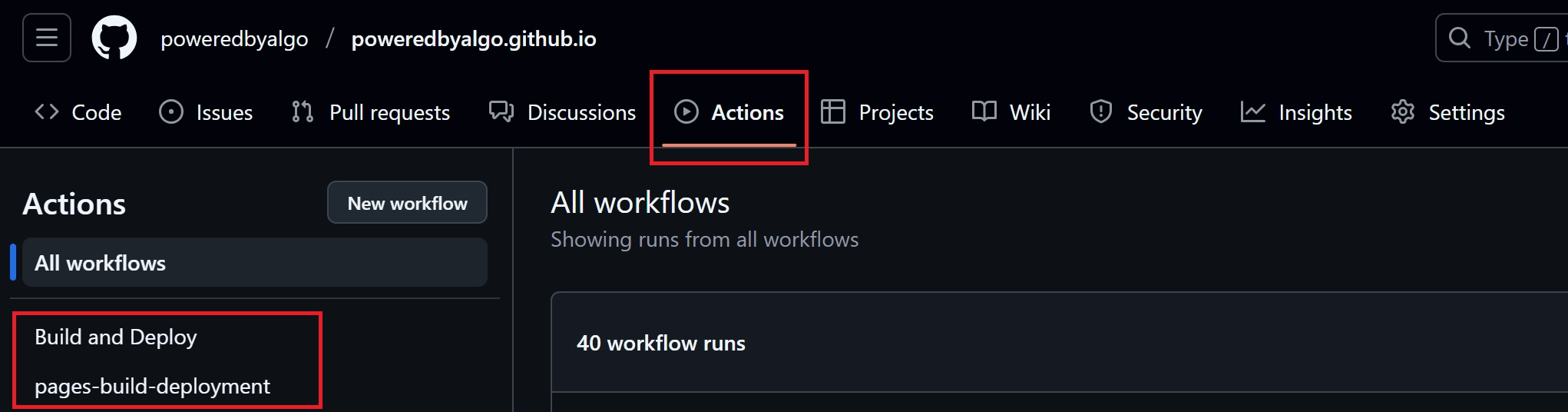
点击Actions会看见两条工作流
-
pages-build-deployment为Github Pages默认工作流且无法被禁用 -
Build and Deploy为项目自定义的工作流,对应.github/workflows/pages-deploy.yml
存在的问题
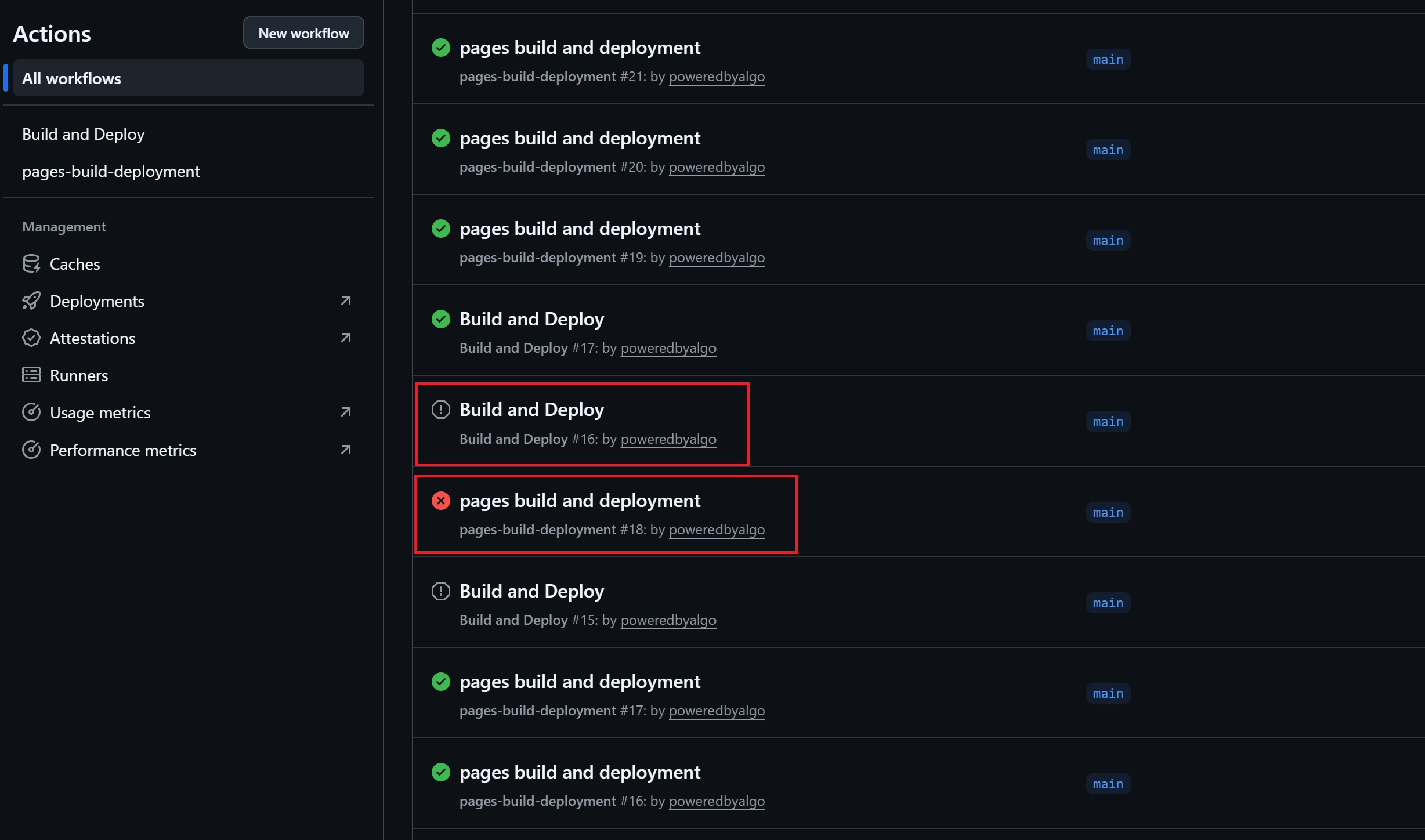
- push时会同时触发两个工作流,容易出现因竞争导致deploy失败
- 若
pages-build-deployment在Build and Deploy后执行,则会覆盖正确的deploy结果,导致Github Pages无法访问
解决办法
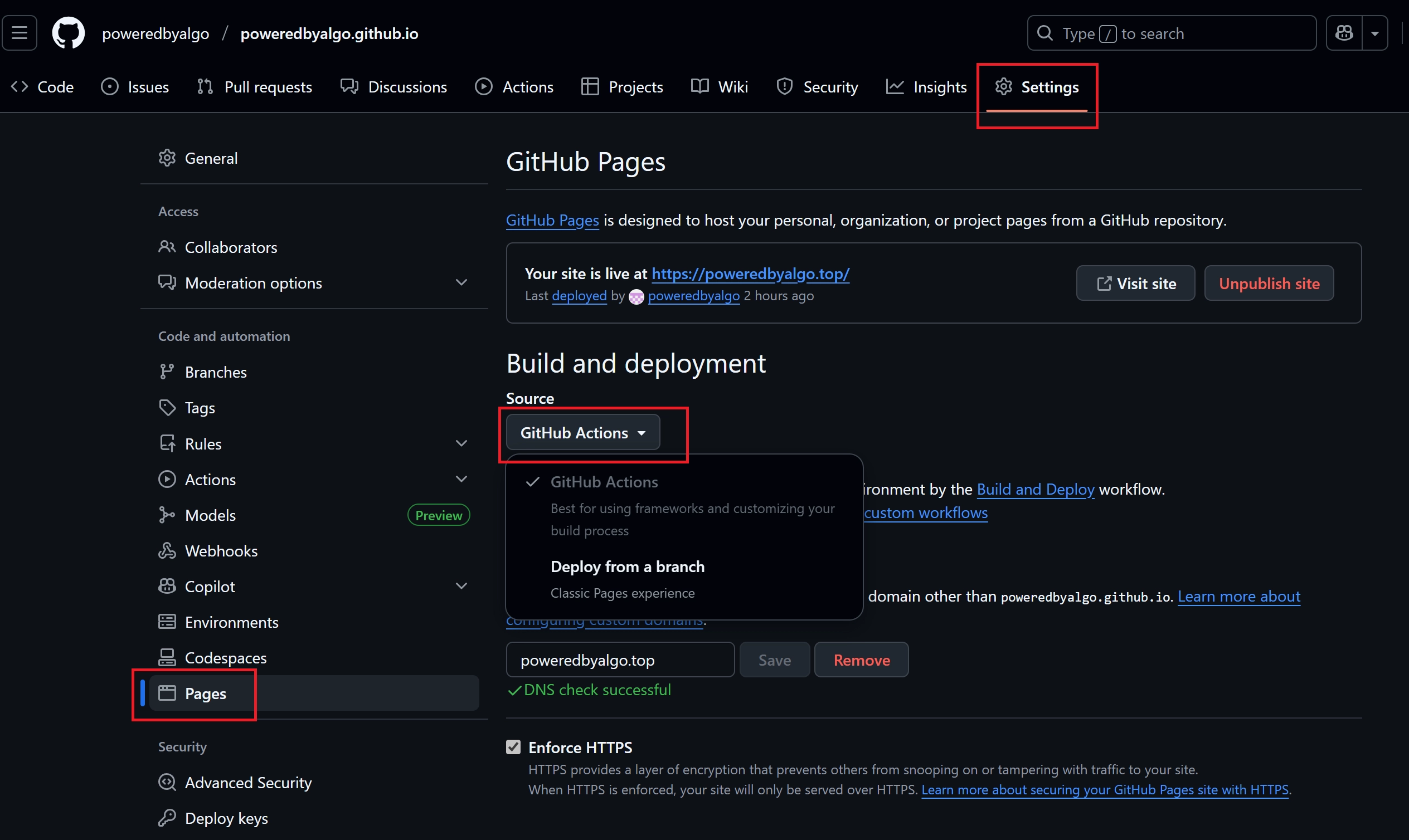
操作步骤:Settings —> Pages —> Build and deployment —> Source —> Github Actions
配置选择Github Actions后就只会使用自定义的工作流,pages-build-deployment就不会被触发啦~
Ubuntu24.04 配置Docker镜像源失败
问题表现
能成功配置国内docker镜像源且能正常拉取hello-world镜像,但下载其他镜像报错:
[+] Running 1/1 ✘ n8n Error Get "https://registry-1.docker.io/v2/": net/http: request ca... 15.3sError response from daemon: Get "https://registry-1.docker.io/v2/": net/http: request canceled while waiting for connection (Client.Timeout exceeded while awaiting headers)解决办法
设置DNS服务器为:8.8.8.8, 114.114.114.114 等